
Football Heatmaps Explained: What They Show and How to Read Them
Football heatmaps visualise where a player or team spends their time on the pitch. We explain how they are built, what they reveal, and their limitations.
 Tap to enlarge
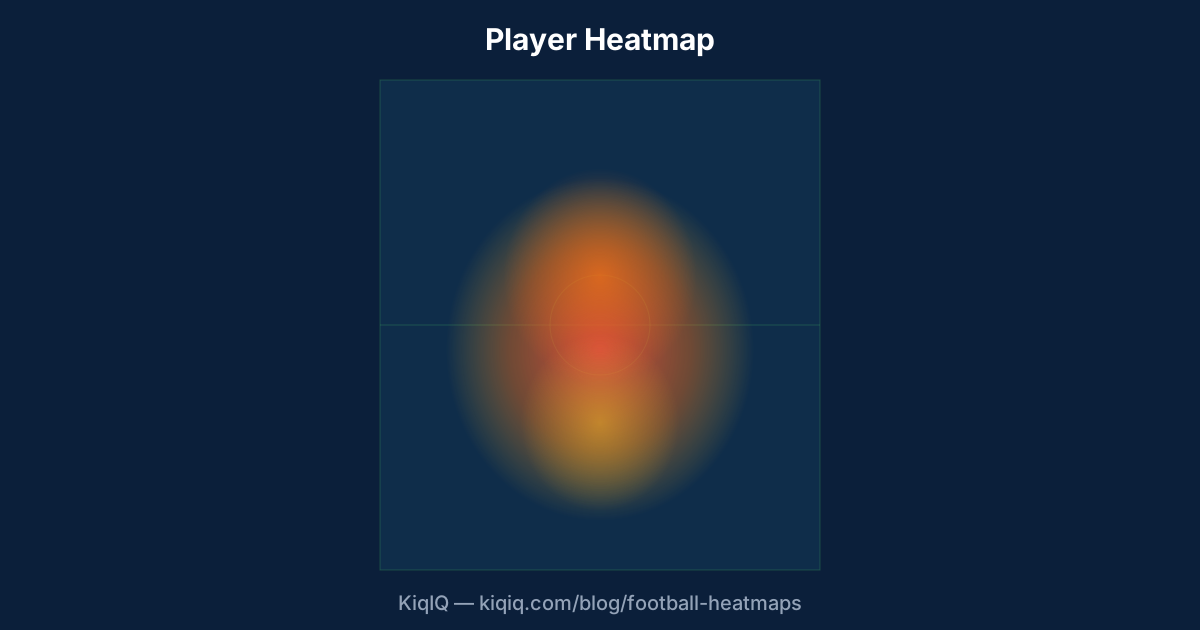
A football heatmap is a colour-density overlay on a pitch showing where a player or team spent the most time during a match or season. Hot zones (red, orange) mark high-occupancy areas; cool zones (blue, white) mark low-occupancy areas. Heatmaps are built from on-ball event coordinates, tracking data, or both.
How is a heatmap built?
There are two source streams. On-ball heatmaps are built from event data — every pass, dribble, tackle, and shot has an x,y coordinate, and the heatmap is a 2D density of those coordinates. Off-ball heatmaps require tracking data (where every player is, every 0.04 seconds) and show actual occupancy regardless of ball.
Most public-facing heatmaps (Sofascore, Fotmob, Opta) are on-ball. They show where a player touched the ball, not where they ran. Tracking-based heatmaps from StatsBomb 360, Second Spectrum, or Skillcorner give a more complete picture but are usually paid.
What an on-ball heatmap tells you
On-ball heatmaps are useful but biased. A player who spends most of the game off the ball — a striker, a wide-front-of-press attacker, an unused full-back — will show a sparse heatmap. A player who handles the ball constantly — a deep playmaker, a busy attacking midfielder — will show a dense heatmap.
Compare like-for-like. A striker's heatmap should be compared to other strikers, not to a midfielder. Similarly, a season-long heatmap is more reliable than a single-match one.
On-ball heatmaps show where the ball met the player. Tracking heatmaps show where the player actually was. Always check which type you are reading.
What a tracking heatmap tells you
Tracking-based heatmaps capture true occupancy. They reveal off-ball runs, defensive positioning, recovery shapes, and the gaps between defenders.
For coaches, the most valuable view is the team-wide tracking heatmap during defensive transitions — it shows where the press collapses and where the gaps appear when an attack breaks down. This is the analytical foundation behind concepts like the "rest defence" structure.
Common patterns to look for
A few archetypal heatmaps and what they reveal:
- Inverted full-back: The full-back's heat clusters in central midfield zones rather than down the touchline. Common at Manchester City and Bayern Munich.
- Dropping #9: A central striker whose heat dips into the #10 zone — Roberto Firmino, Harry Kane in his Spurs years, Lautaro Martínez at Inter.
- Wide #10: An attacking midfielder whose heat sits on the half-space rather than centrally — Bernardo Silva, Bukayo Saka, Phil Foden.
- Deep playmaker: A #6 whose heat is concentrated in the centre circle area — Rodri, Joshua Kimmich, Marco Verratti.
Limitations and traps
Heatmaps are summary statistics, not narratives. A few things to remember:
- A heatmap does not show pass direction or quality. Two players with identical heatmaps can have wildly different impacts.
- On-ball heatmaps overweight high-volume players. A 30-touch midfielder will have a more saturated heatmap than a 15-touch striker, but both can be world-class.
- A single-match heatmap can be misleading — substitutions, red cards, and game states distort the picture. Aggregate over 5+ matches before drawing conclusions.
- A blue-cool zone is not necessarily a weakness — it can be a tactical decision (e.g. a striker not dropping deep because the team wants stretch).
Where to find heatmaps
Sofascore, Fotmob, WhoScored, and Opta-powered apps all show on-ball heatmaps for matches. StatsBomb publishes off-ball heatmaps for selected free competitions. KiqIQ's player profile widgets include a season heatmap on every player card.
Frequently asked questions
- What does a football heatmap actually show?
- A heatmap shows where a player or team spent the most time during a match. Hot zones (red, orange) mark high-occupancy areas — where they touched the ball most or, with tracking data, where they physically were most often. Cool zones mark low activity.
- Are heatmaps based on the ball or the player?
- It depends on the source. Public heatmaps (Sofascore, Fotmob, Opta) are usually on-ball — built from where the player touched the ball. Tracking-based heatmaps (StatsBomb 360, Second Spectrum) show actual occupancy regardless of whether the player had the ball.
- Why does my favourite striker have a sparse heatmap?
- On-ball heatmaps capture only ball-touch density. Strikers and pressing forwards spend most of the match without the ball, so their on-ball heatmaps look sparse compared to deep midfielders. This is normal — it does not mean the striker was uninvolved.
- Can I tell a player's position from their heatmap?
- Approximately yes. The shape of the heat reveals the player's primary zone (central, wide, deep, advanced). But role matters too — an inverted full-back's heatmap can look midfield-centric, and a dropping #9's heatmap can extend deep into midfield. Always pair the heatmap with the position chart.
References
- Heatmap Methodology — Sofascore
- StatsBomb 360 — Tracking-Based Heatmaps — StatsBomb
- Inverted Full-Back Tactical Analysis — The Analyst
- Fotmob — Match Heatmaps — Fotmob
Key terms in this article
Ask KiqIQ a follow-up
Get a live, data-driven answer powered by api-football + KiqIQ's Poisson model. Try one of these prompts or write your own.
Try the calculators
Apply the concepts from this article with KiqIQ's free calculators.
Part of pillar
Data and Systems
See every article in this knowledge pillar →
Related
Reviewed by a KiqIQ editor before publication. Spotted an error? Email editor@kiqiq.com — we follow our Corrections Policy.